Transforming fragmented docs into a navigable resource
- Led end-to-end planning, execution, and launch of a dedicated documentation platform integrated with customer support tooling
- Drove a 70% deflection in incoming customer support tickets
- Redesigned information architecture (IA) and introduced new short-form content
Problem
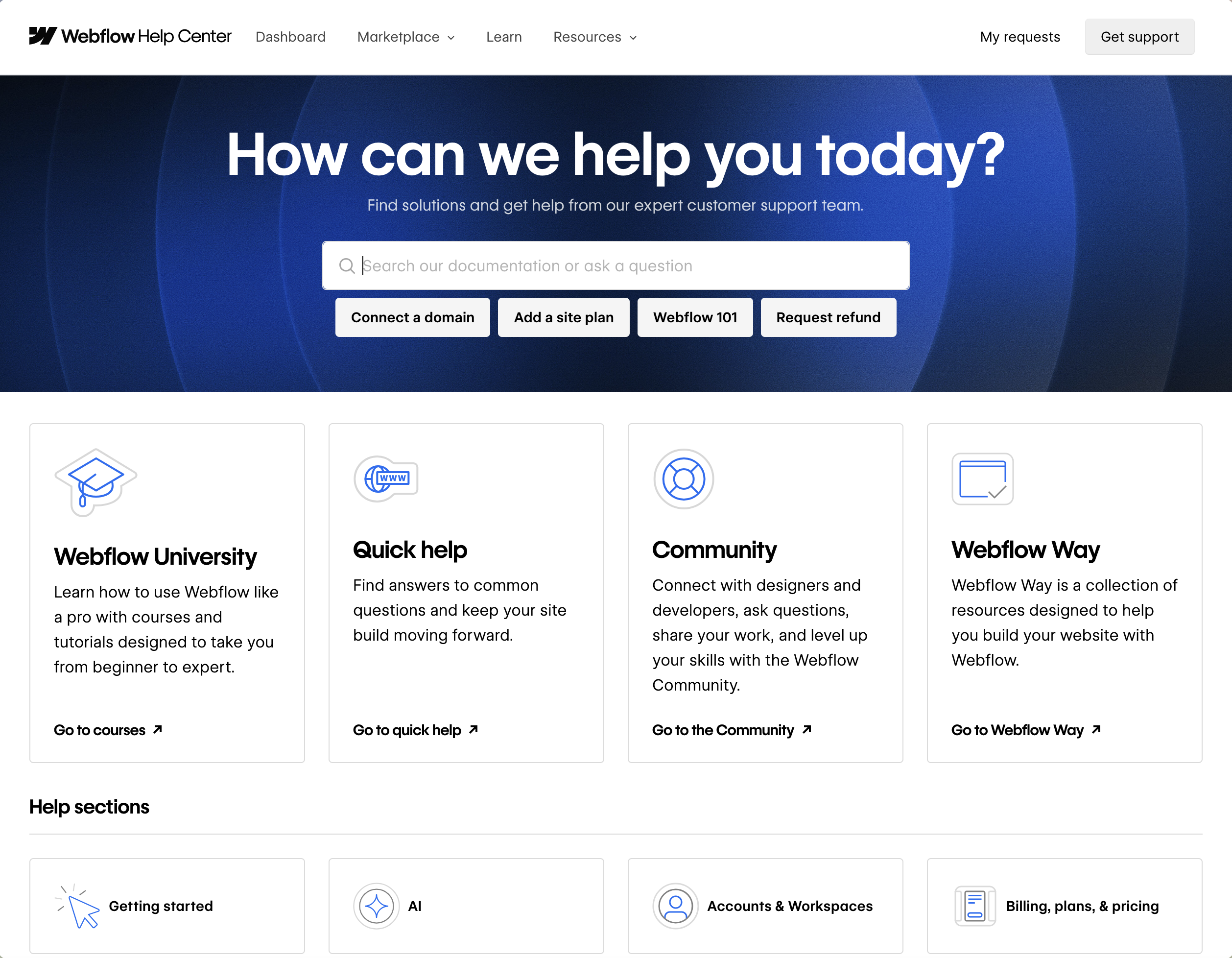
Webflow University was Webflow’s home for user documentation and customer education, with tutorials, courses, and docs living on a single site built on Webflow’s own CMS. It hosted a ton of good content — but documentation and education serve different audiences and different moments in the customer journey, and the site’s shallow IA and overloaded structure made it hard to find the right thing at the right time.
I led the end-to-end planning, execution, and launch of the Webflow Help Center: a dedicated documentation site built to scale and integrated with Webflow’s customer support tooling.
Key challenges
When customers couldn’t find answers quickly, they opened support tickets, often for questions already answered in the documentation.
Goal
Redesign the documentation experience from the ground up with a new platform, new information architecture, and new content types to improve customer self-service.
Process
Identifying friction
I started with a combination of social listening, analytics review, and an audit of existing content and identified the following points of friction:
- Shallow information architecture — Webflow University had top-level categories only, so all docs were one level deep regardless of complexity.
- Poor discoverability — Docs were hard to find because the category language reflected internal naming conventions rather than language customers would use.
- Unreliable search — Search on Webflow University was limited and inconsistent, which worsened the IA and discoverability issues.
Rebuilding the IA
I rebuilt the IA from flat to hierarchical using language pulled from support tickets and social media rather than internal product terms. “Site settings,” for example, became “Site management & SEO,” with subsections for “Site management,” “Site settings,” “Collaboration,” and “SEO” — categories structured around how customers described their problem rather than how the product team described the feature.
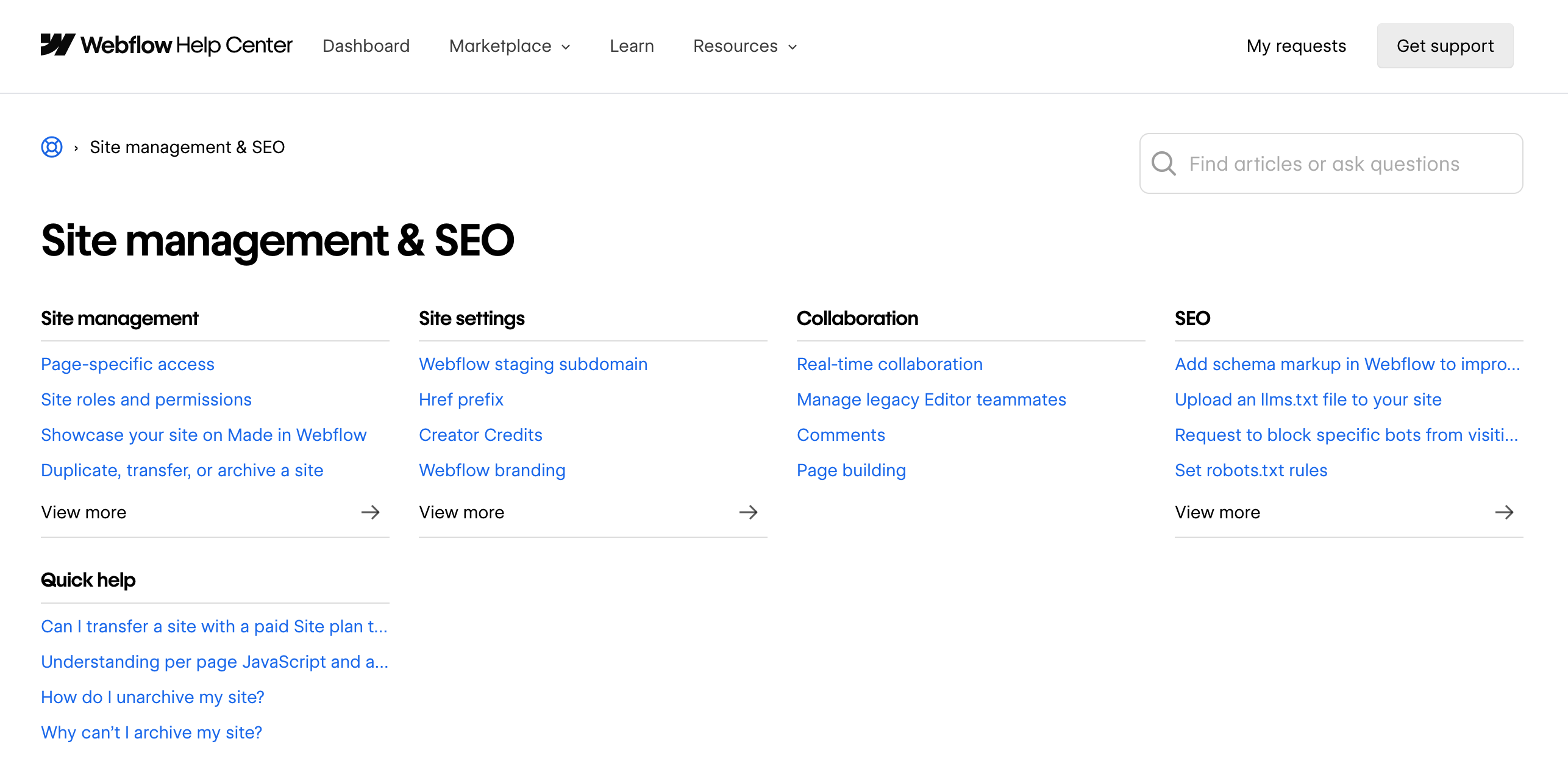
I also introduced a new “Quick help” content type. These were short-form docs designed to immediately answer the most common support queries, living in their own dedicated subsections under each top-level category, distinct from long-form documentation.
Migrating to Zendesk
The decision to migrate to Zendesk was driven by a need to integrate directly with customer support tooling so we could accurately track the Help Center’s impact on customer support tickets and let customer support specialists easily reference and attach documentation to tickets.
As a platform meant primarily for customer support, Zendesk wasn’t a perfect fit for my team’s authoring needs; it’s not purpose-built for structuring and maintaining long-form documentation at scale, especially for a product as rapidly-changing as Webflow. I made the platform work by building IA, content patterns, and internal integrations that compensated for what Zendesk didn’t do well.
Coordinating the conf launch
I assembled a taskforce of stakeholders from marketing, product, design, education, and customer support to get ahead of downstream impacts like SEO, in-product links to documentation, brand consistency, and the education-to-documentation handoff.
The Help Center was set to launch at Webflow Conf, Webflow’s biggest marketing moment of the year, with a live mention in the keynote address. Every stakeholder I worked with already had Conf responsibilities, so I had to manage competing priorities across the taskforce with a fixed and public deadline approaching.
Results
The Help Center launched at Webflow Conf on schedule. In conjunction with the Support Portal’s frontline chatbot — which surfaces relevant Help Center docs to customers seeking support — we saw a 70% overall ticket deflection rate. In 70% of cases where a customer received a Help Center doc in response to a support inquiry, they didn’t proceed to submit a ticket. Resolution times and SLA adherence also improved significantly.
Reflections & learnings
Visibility into user behavior was limited throughout the project. I used analytics, social listening, and support ticket data to identify friction, but I couldn’t directly observe how customers moved through the old experience. The data I had was ambiguous. For example, a high exit rate on an article could suggest that frustrated customers leave the page unable to find what they’re looking for — or it could be a natural exit point after finding the information they need.